Signing in to Gemini CLI
Uses Google’s Gemini CLI in ACP mode (gemini --experimental-acp).
Personal Google login does not work. Gemini CLI’s personal offering (Google AI Pro / Ultra / free tier) ended on 2026-06-18, and Google points users to its successor, the Antigravity CLI. This preset works only with a Gemini API key or a Gemini Code Assist Standard / Enterprise license. It is not recommended for new use.
What you need: a Gemini API key (GEMINI_API_KEY, or in ~/.gemini/.env) or a Gemini Code Assist Standard / Enterprise license. Node.js (the CLI is installed with npm).
1. Switch to Gemini CLI and install the CLI
Section titled “1. Switch to Gemini CLI and install the CLI”-
In Settings (⚙) > Connection > Agent, choose Gemini CLI under “Agent” and press “Reconnect now”.
-
If
geminiis not found, press “Install Gemini CLI” and then press “Install” in the confirmation dialog.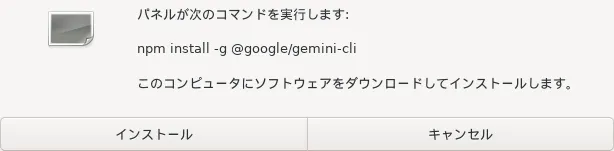
2. Set an API key (when using an API key)
Section titled “2. Set an API key (when using an API key)”-
Set your API key in the OS environment variable
GEMINI_API_KEY, or write aGEMINI_API_KEY=...line in~/.gemini/.env(%USERPROFILE%\.gemini\.envon Windows). If you use the environment variable, restart the editor (and Unity Hub too, if you launch the editor from it). -
In Settings > Connection > Agent, type
gemini-api-keyinto “Sign-in method” and press “Reconnect now”.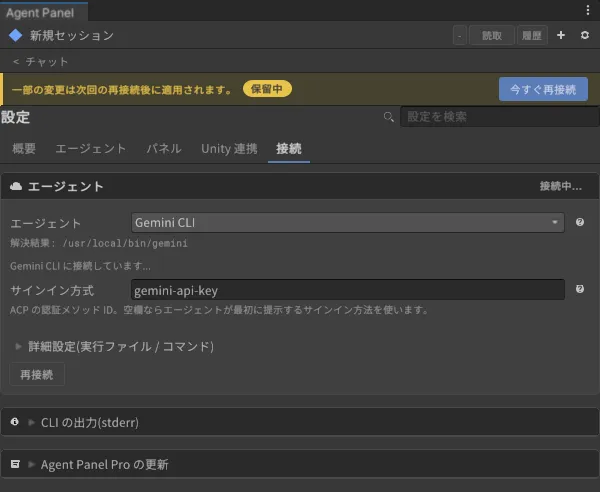
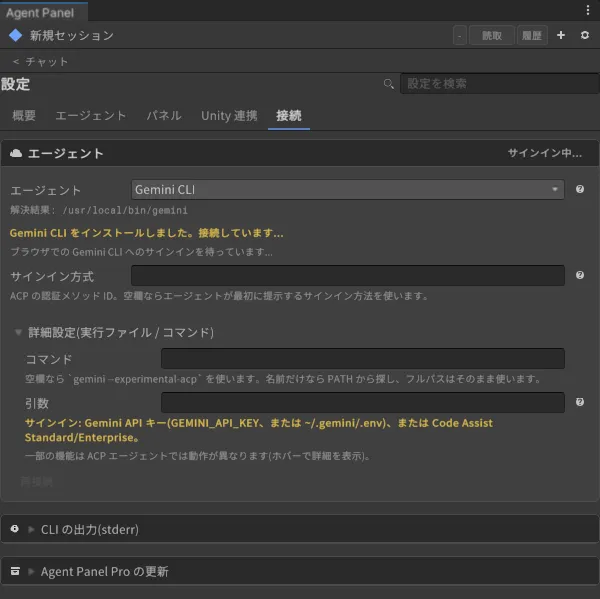
If you leave “Sign-in method” empty, the method Gemini CLI offers first (“Log in with Google”) is chosen, and the panel waits for a browser sign-in. The personal offering has ended, so always enter gemini-api-key when using an API key.
| “Sign-in method” | What it uses |
|---|---|
gemini-api-key | A Gemini API key |
oauth-personal | A Google account (when you have a Gemini Code Assist Standard / Enterprise license) |
vertex-ai | Vertex AI (requires a Google Cloud project setup) |
“Sign-in method” is saved per agent. A value you enter for Gemini CLI is never sent to another agent such as Codex (v0.60.1-beta.6 and later).
When it does not work
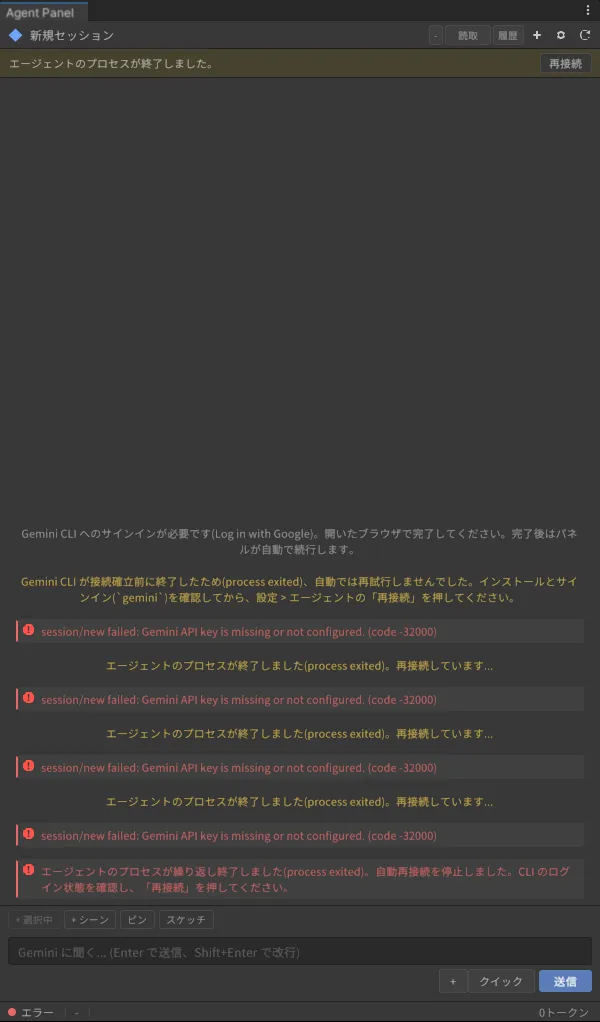
Section titled “When it does not work”If the API key cannot be found, Gemini API key is missing or not configured appears repeatedly in the conversation, and automatic reconnect stops on the fourth attempt.
| Symptom | What to do |
|---|---|
Gemini API key is missing or not configured | Set GEMINI_API_KEY and restart the editor, or write it in ~/.gemini/.env, then press “Reconnect” |
| It stays at “Signing in…” | “Sign-in method” is empty and the panel is waiting for a Google login. Enter gemini-api-key and press “Reconnect now” |