Install and overview
A chat panel that puts a coding agent inside the Unity Editor. Claude Code is the default, and Codex, Grok Build and other ACP-capable CLIs can be selected instead. From a docked panel you can ask the agent to write code, fix files and work on the scene. A permission card appears before every tool runs, and the conversation survives script recompiles.
Supported agents
Section titled “Supported agents”| Agent | Connection |
|---|---|
| Claude Code / Anthropic | Native |
| Codex / OpenAI | ACP connection |
| Grok Build / xAI | ACP connection |
| Gemini CLI / Google | ACP connection |
| Custom ACP / Qwen Code, Kimi CLI and others | Configure command and arguments |
Select an agent in Settings → connect → choose a model in the header.
Agent setup and switching (Japanese) · Model selection (Japanese)
Scene-editing examples
Section titled “Scene-editing examples”| Claude Code | Codex | Grok Build |
|---|---|---|
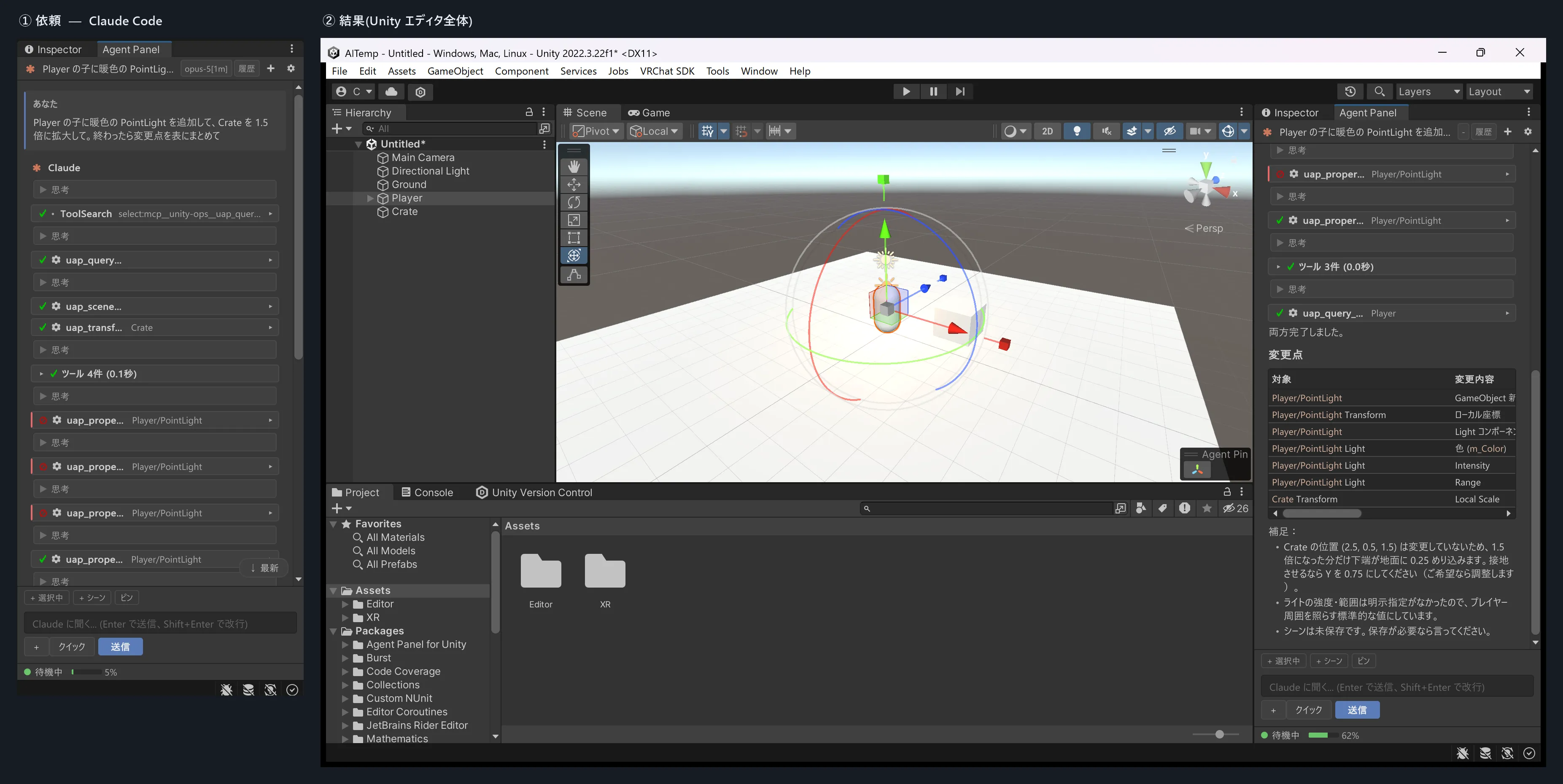 | 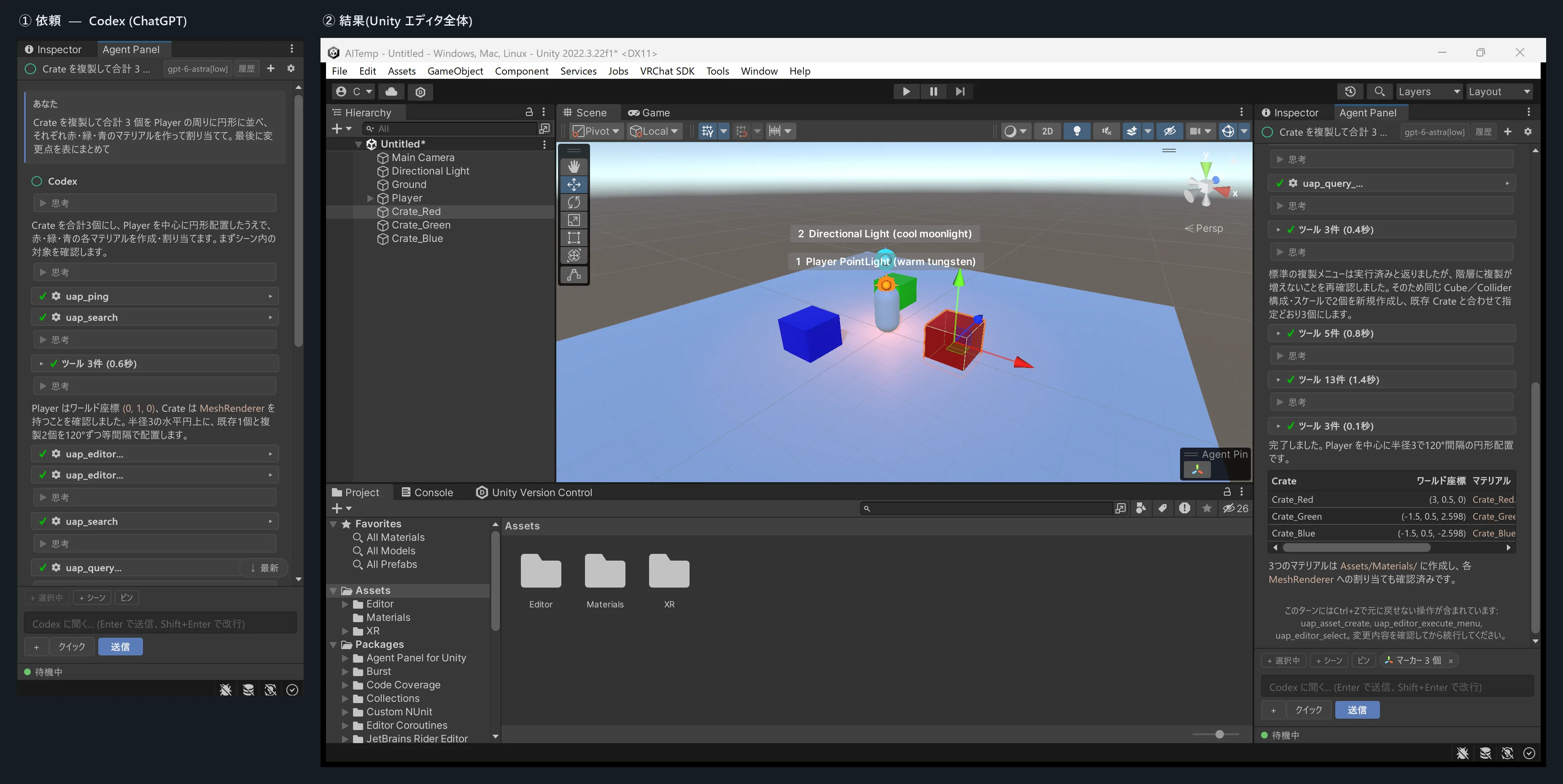 | 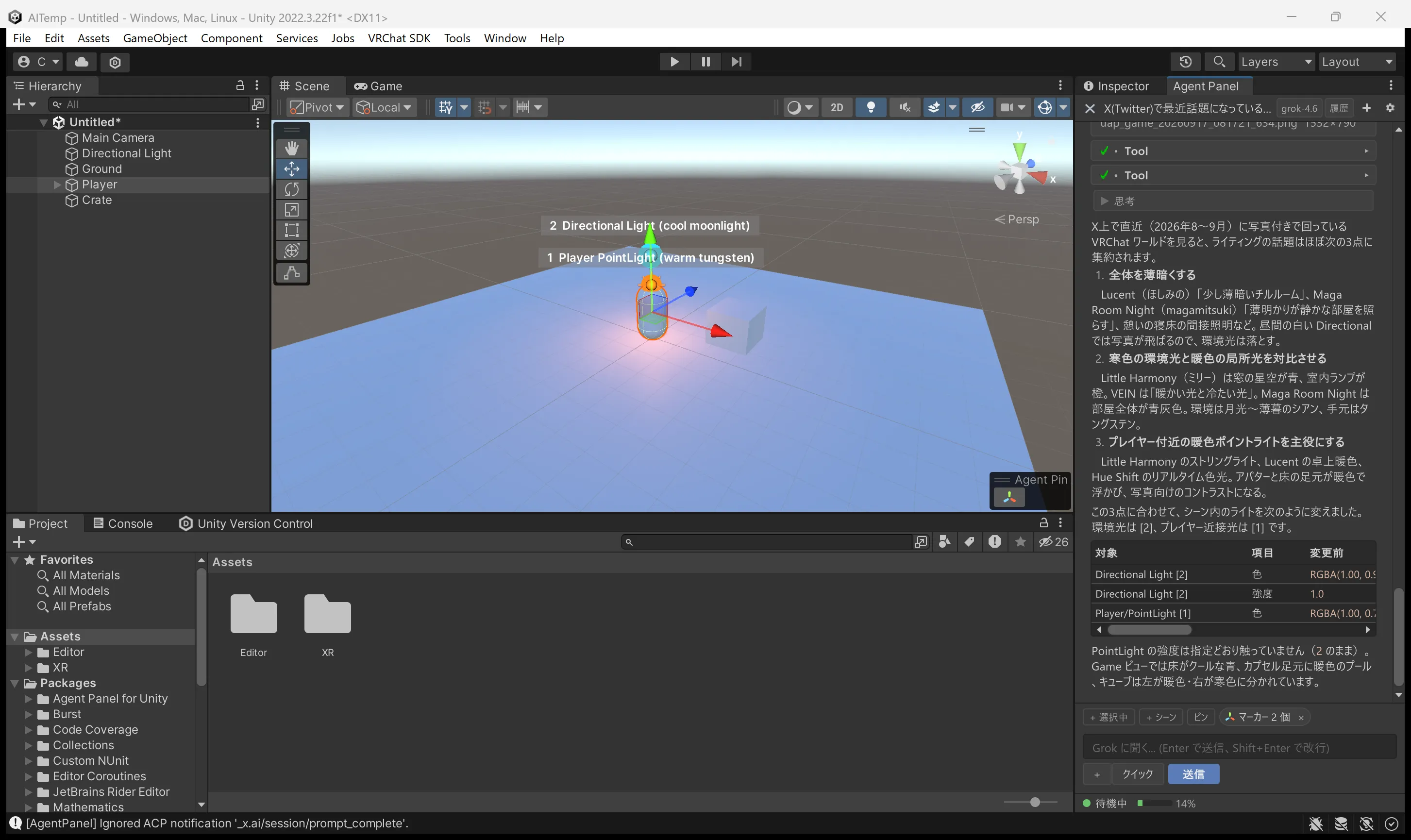 |
| Add lights and resize objects | Arrange and color objects | Adjust scene lighting |
Examples and switching agents · Image generation · X search
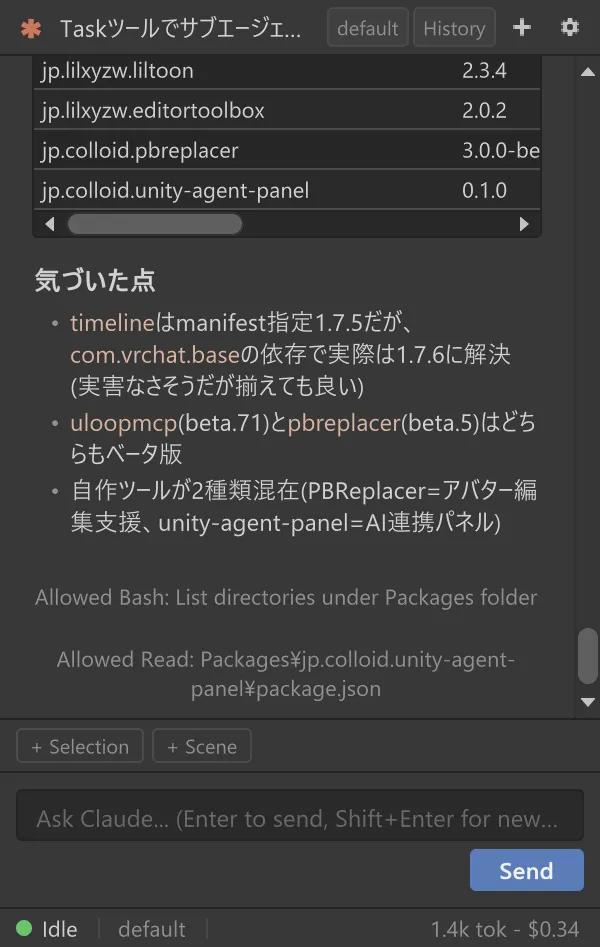
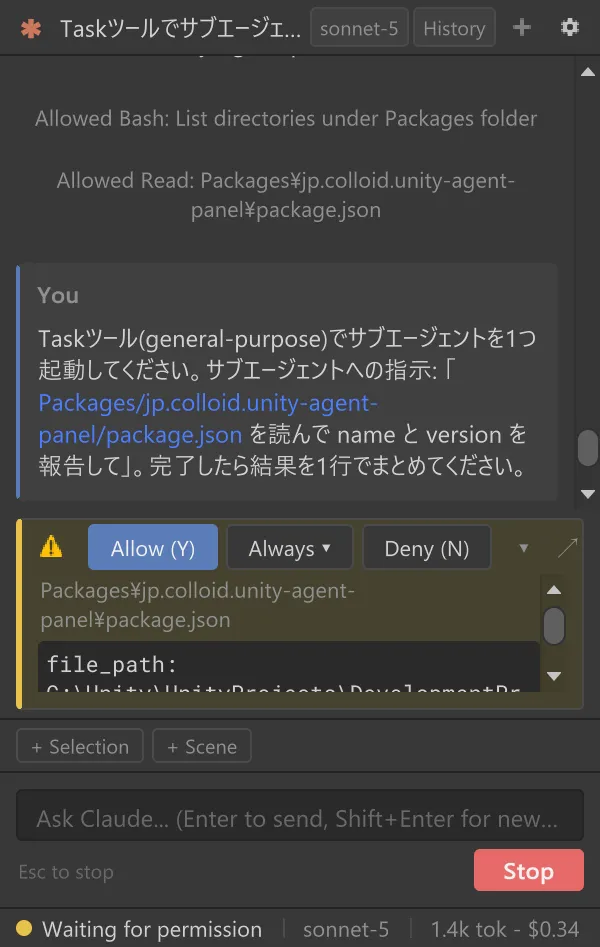
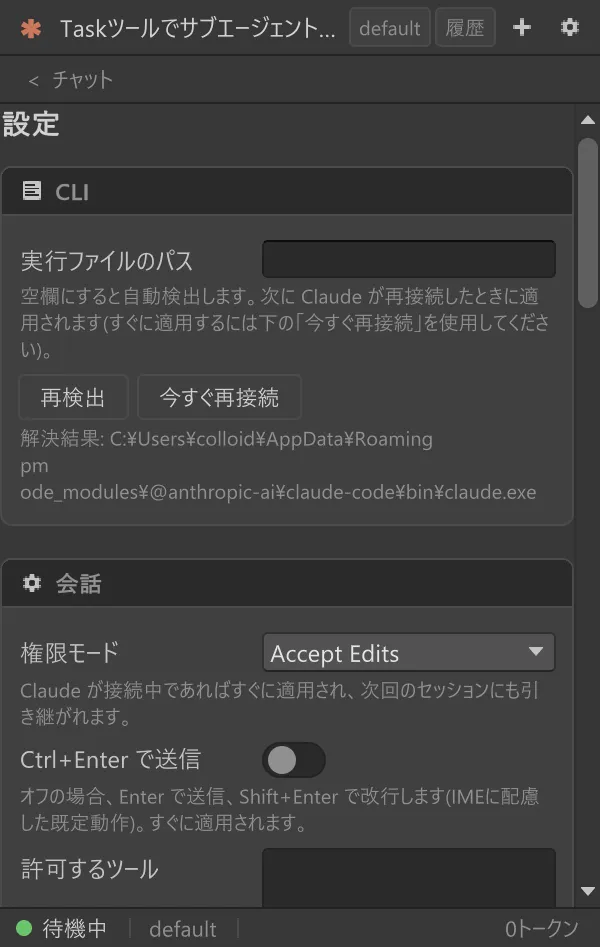
| Chat | Permission card | Settings |
|---|---|---|
 |  |  |
What it does
Section titled “What it does”- Chat — streamed replies, slash-command completion, thinking summaries, subagent progress cards and question cards you answer by clicking.
- Permission cards — allow once, allow for the session, or deny with a reason before a file edit or command runs. Auto-approval can be widened step by step in Settings.
- Unity context — attach the Hierarchy / Project selection, Console errors, dragged assets and images with one click.
- Unity tools — the agent edits scenes, components and assets, searches and takes screenshots without writing C#. One turn undoes with a single Undo.
- Script verification gate — C# written by the agent reaches Assets only after it compiles (Windows).
- Domain-reload resilience — the same session reconnects after a recompile or an editor restart.
- History, model picker, in-panel login — restore past sessions, switch models and log the CLI in without leaving the panel.
- Other agents — switch to Codex, Grok Build or any ACP-capable CLI.
- English / Japanese — the UI follows the OS language and can be switched in Settings.
See the user guide for details (Japanese).
Requirements
Section titled “Requirements”| Item | Details |
|---|---|
| Unity | 2022.3 LTS or later, including Unity 6 |
| OS | Verified on Windows. macOS / Linux should work but are untested |
| Claude Code CLI | Latest release recommended; the panel can install it for you |
| Claude account | Subscription login recommended (an API key also works) |
Step-by-step sign-in guides with screenshots (Japanese): Claude Code · Codex · Grok Build · Gemini CLI · other ACP agents.
Installation
Section titled “Installation”No required package dependencies (UITK Font Fix is picked up for CJK fonts when present, but is optional). Use option 1 if you manage the project with VCC / ALCOM, otherwise option 2.
Option 1: add to VCC / ALCOM
Section titled “Option 1: add to VCC / ALCOM”-
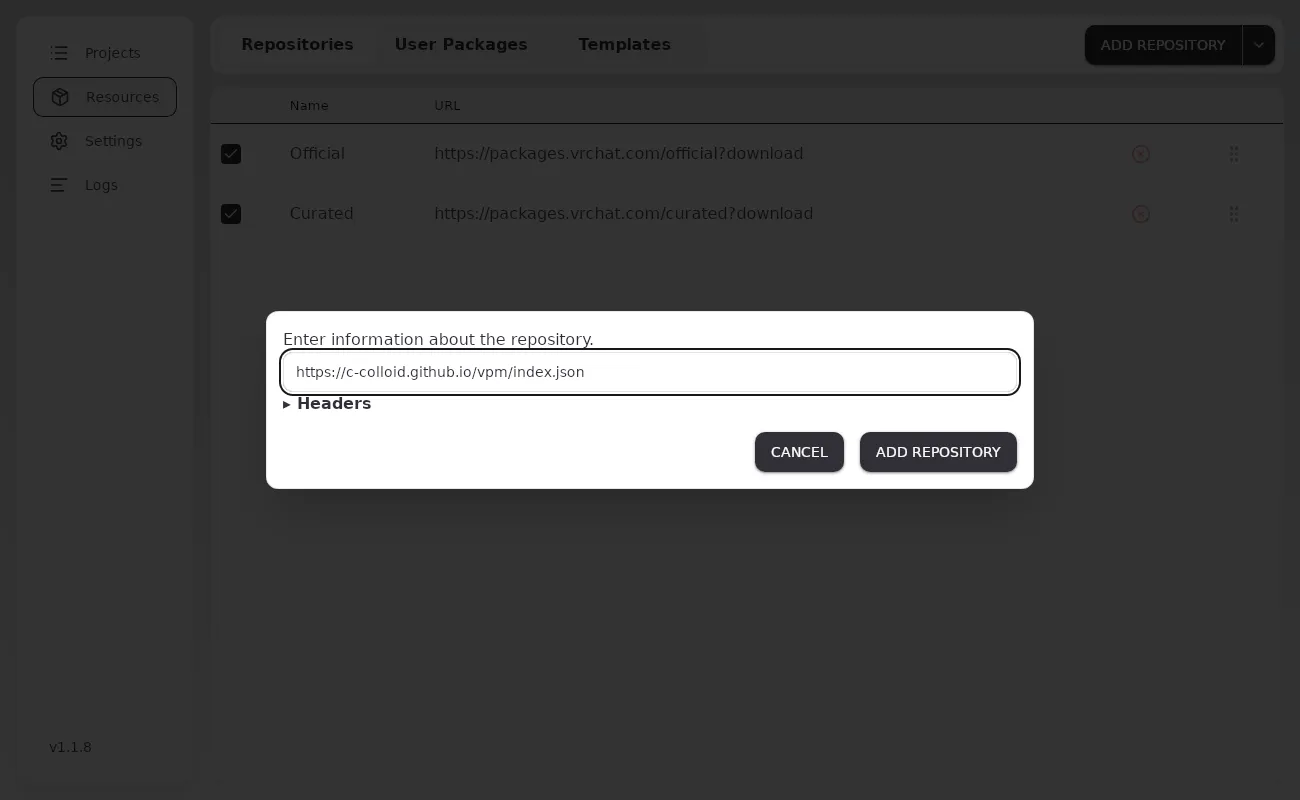
In VCC open Settings > Packages > Add Repository; in ALCOM open Resources > Repositories > Add Repository. Paste the URL below and press Add.
https://c-colloid.github.io/vpm/index.json -
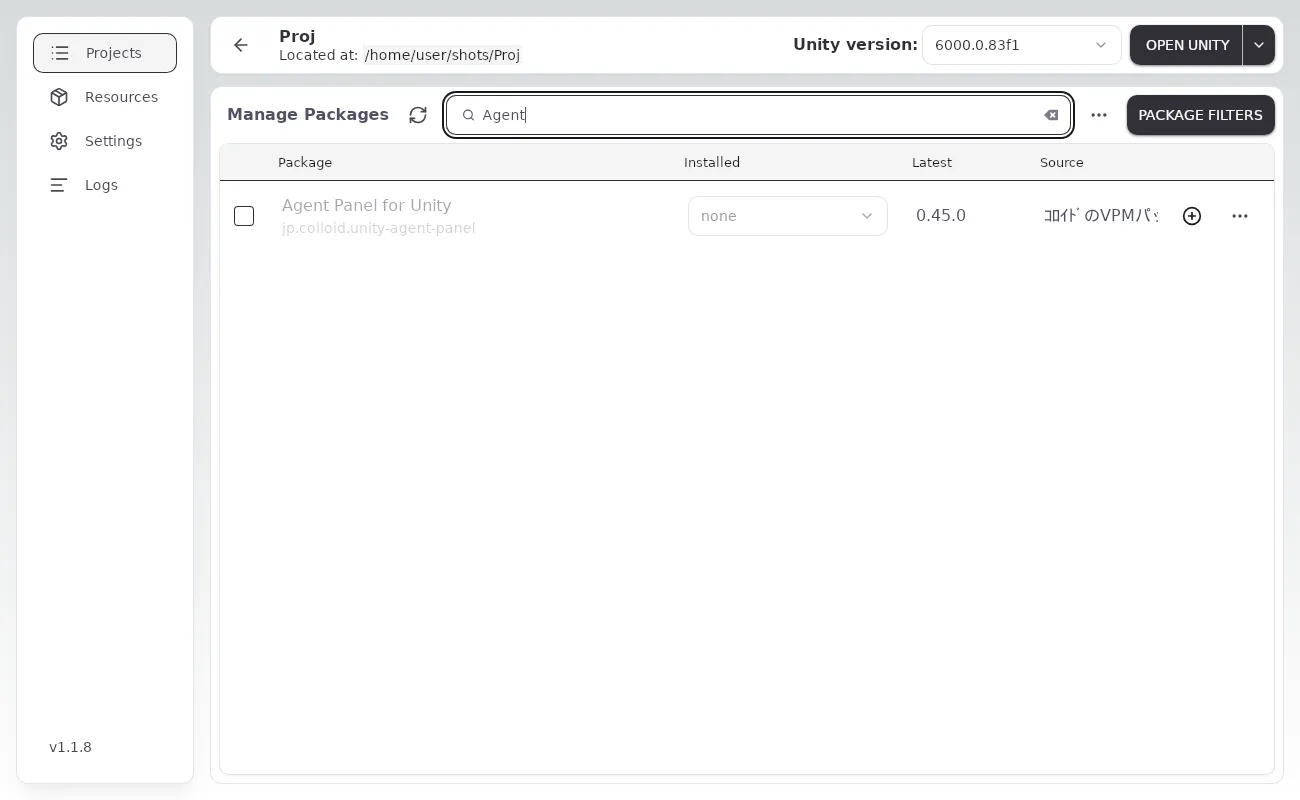
Open Manage Project (Manage in ALCOM) for the project and press + next to Agent Panel for Unity. Type “Agent” in the search box to narrow a long list.
-
Later updates show up as an Update button in the same list.
Option 2: Git URL in the Package Manager
Section titled “Option 2: Git URL in the Package Manager”Git must be installed (get it from git-scm.com and restart Unity if not).
-
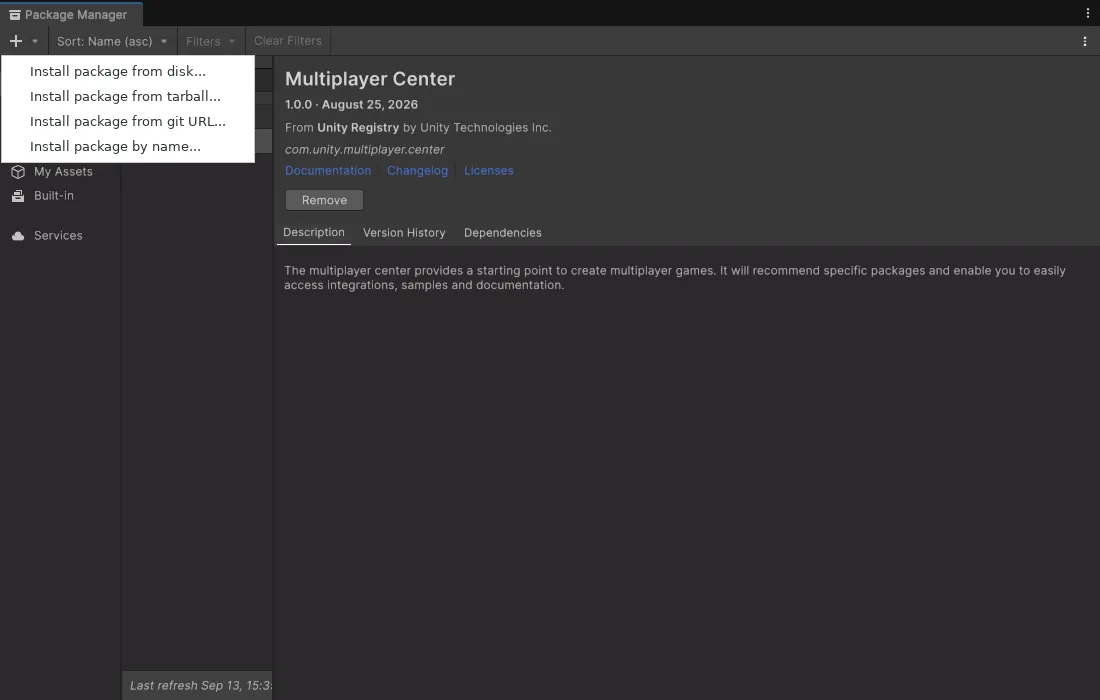
Open Window > Package Manager.
-
Press + in the top-left corner and choose Add package from git URL… (Install package from git URL… on Unity 6).
-
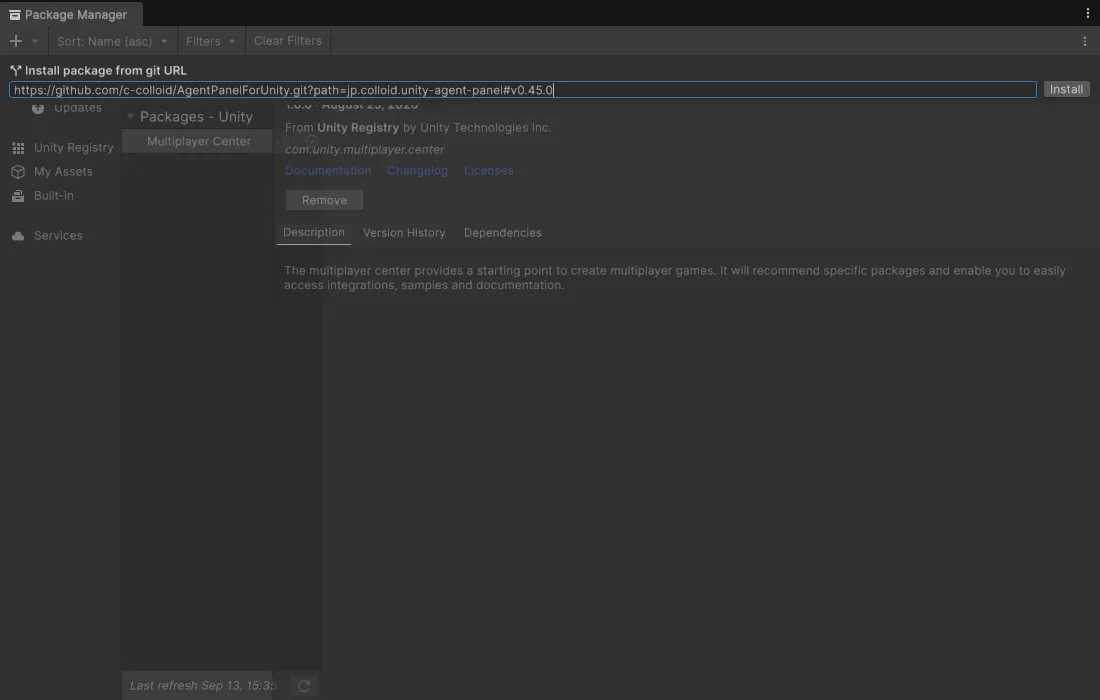
Paste the URL below and press Add (Install on Unity 6).
https://github.com/c-colloid/AgentPanelForUnity.git?path=jp.colloid.unity-agent-panel -
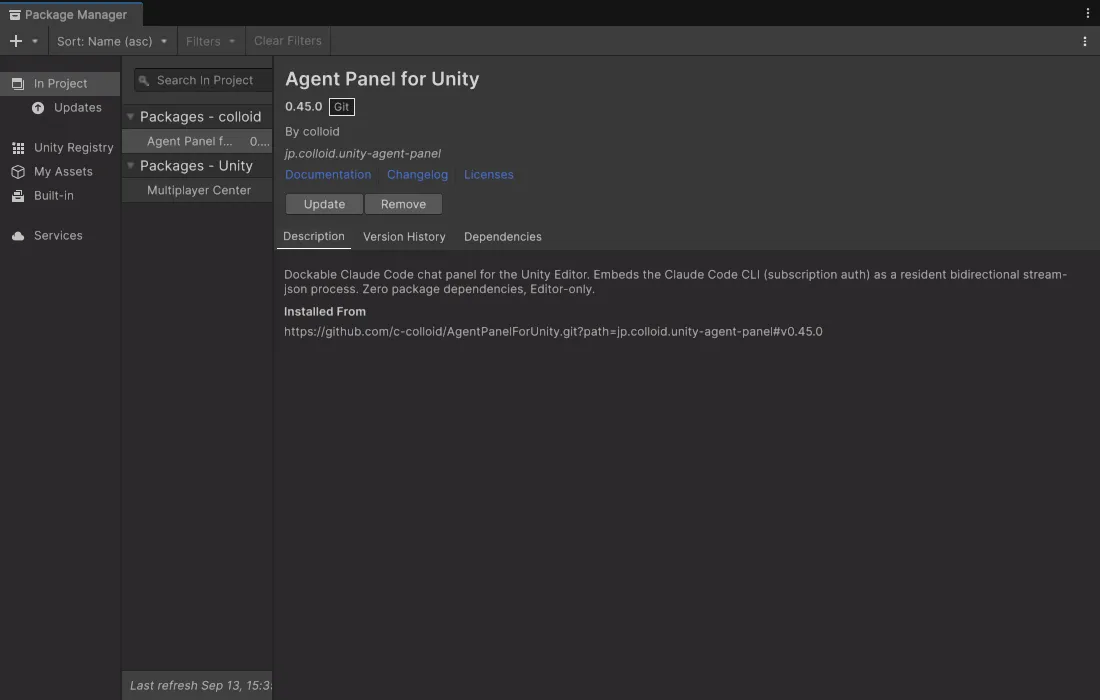
To update later, select the package in Package Manager and press Update.
Option 3: zip
Section titled “Option 3: zip”Extract jp.colloid.unity-agent-panel-<version>.zip from the latest release into Packages/jp.colloid.unity-agent-panel/ in your project (so that package.json sits directly in that folder). Update by replacing the folder.
Trying a beta
Section titled “Trying a beta”Every finished piece of work ships as a beta, X.Y.Z-beta.N; a stable release bundles them every few days to weeks. Betas are invisible to a normal install and reach you through these routes:
-
VCC / ALCOM: turn on Settings > Packages > Show Pre-release Packages in VCC, or Show pre-release packages in ALCOM’s settings, and the betas appear in the same list.
-
Git URL: append
#betato the URL.https://github.com/c-colloid/AgentPanelForUnity.git?path=jp.colloid.unity-agent-panel#beta -
zip: the entries marked Pre-release under Releases.
Getting started
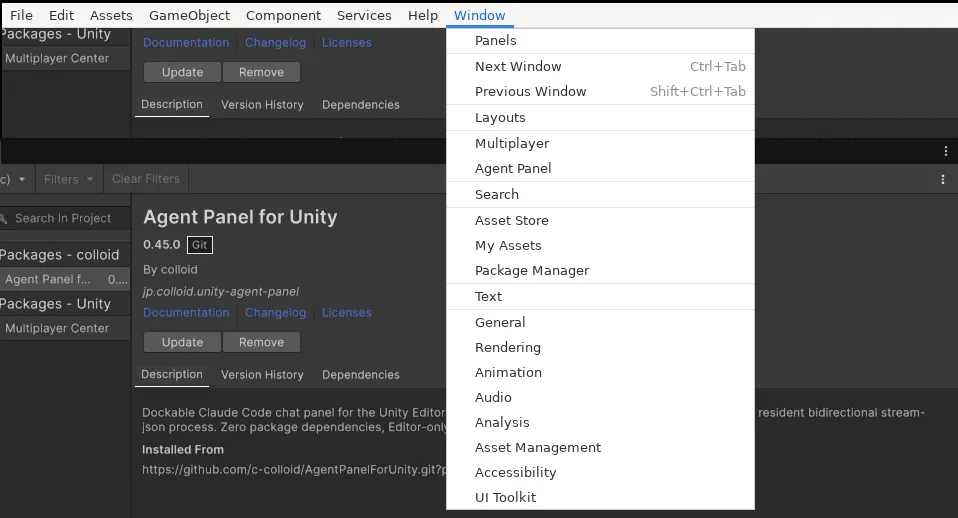
Section titled “Getting started”- Open Window > Agent Panel.
- If the CLI is missing or you are not logged in, follow the card in the panel to install and log in.
- Once the status bar says idle, send a message.
Core and Pro
Section titled “Core and Pro”This README installs Core (jp.colloid.unity-agent-panel, MIT), which works on its own. The separately sold Agent Panel Pro (jp.colloid.agent-panel-pro, PolyForm Internal Use License 1.0.0: internal use and modification allowed, no distribution) adds prefab override tools, animation / material editing, lightmap baking (with Bakery support), editor UI automation and bundled profiles for VRChat SDK3 (Base, Avatars and Worlds) / Udon / UdonSharp / NDMF / Modular Avatar / VRCFury / Avatar Optimizer / lilycalInventory / lilToon / UniVRM / MagicaCloth2 / Final IK / ProBuilder and others. To install Pro, enter the registry URL and product key you receive at purchase under Settings > Agent Panel Pro updates; updates then come through Package Manager or VCC / ALCOM (see the user guide).
Documentation
Section titled “Documentation”- Documentation site — the user guide, showcase and changelog with search (same content as the Markdown below)
- User guide (Japanese) — a task-based index: getting started, per-agent sign-in, layout and chat, chips and attachments, permission cards, history, Unity tools, settings reference, troubleshooting
- CHANGELOG
- docs/ — architecture and design notes
- CONTRIBUTING.md — development, tests and releases
License
Section titled “License”Each package has its own license.
- Core (
jp.colloid.unity-agent-panel, what this README installs): MIT License - Agent Panel Pro (
jp.colloid.agent-panel-pro, sold separately): PolyForm Internal Use License 1.0.0 (not MIT). The license text and the licensor’s additional permissions ship inside the Pro package asLICENSE.md/LICENSE-ADDITIONAL.md